Freelancing with a disability: Designing an accessible work from home space

 GettyImages
Disability can happen to anyone at any time. Sometimes people have a chronic medical condition from childhood, or one that comes on in middle- or late-age. Others might have a disability due to an accident or illness.
According to the Centers for Disease Control and Prevention (CDC), 61 million adults in the United States live with a disability. That’s 26% of adults (1 in 4) who have some type of disability, including the following:
GettyImages
Disability can happen to anyone at any time. Sometimes people have a chronic medical condition from childhood, or one that comes on in middle- or late-age. Others might have a disability due to an accident or illness.
According to the Centers for Disease Control and Prevention (CDC), 61 million adults in the United States live with a disability. That’s 26% of adults (1 in 4) who have some type of disability, including the following:
- 13.7% with a mobility disability (extreme difficulty walking or climbing stairs)
- 10.8% with a cognition disability (difficulty concentrating, remembering or making decisions)
- 6.8% with an independent living disability (difficulty running errands by themselves)
- 5.9% with a hearing disability (serious difficulty hearing or deafness)
- 4.6% with a vision disability (low vision or blindness)
- 3.6% with a self-care disability (dressing and/or bathing is difficult)
Why freelancing or consulting is a good option for people with disabilities
According to the 2019 Freelancing in America study by Freelancers Union and Upwork, an estimated 57 million Americans freelanced in 2019 — evidence of its increasing popularity, particularly among younger generations. The study also found 46% of participants agree freelancing provides needed flexibility because they are unable to work for a traditional employer due to personal circumstances — with 43% of that group citing health issues (physical disease, disability, mental health, etc.) as the cause. More and more Americans are becoming long-term career freelancers. And although many people with disabilities are still able to work traditional jobs successfully, freelancing opens up additional options for some. For example, freelancing often eliminates a commute, which can benefit those with mobility disabilities. Freelancers also have the freedom to structure their business and workday around any physical or mental needs. For example, they can work during their most productive time. If they require extra rest, they can take time during the day to recoup their energy. It also affords the flexibility to juggle work, family and medical appointments more easily. Freelancers are also able to enjoy the benefits of working in a space that is comfortable and inspiring, without having to worry about typical office distractions, like noise, unsuitable lighting or uncomfortable office furniture — all of which may be factors affecting some workers with disabilities. When you're self-employed, you also have control over accepting or declining any project. Having this kind of control over your time, work and client relationships is not only empowering but also has a positive impact on mental and physical health. With freelancing booming, there are plenty of job options for people with disabilities to choose from, including:- audio content transcriber
- customer service representative
- data entry professional
- graphic designer
- social media/digital marketing manager
- translator
- tutor
- virtual assistant
- voiceover talent
- website designer
- writer/blogger
How to create the right environment for productivity
One of the great benefits of freelancing is creating and working in a space-optimized for an individual’s needs. If you’re thinking about modifying your home’s work area, the end result should be a stimulating space designed for trouble-free navigation and ultimate comfort. Here are some tips to help design an accessible workspace to accommodate freelancing with disability: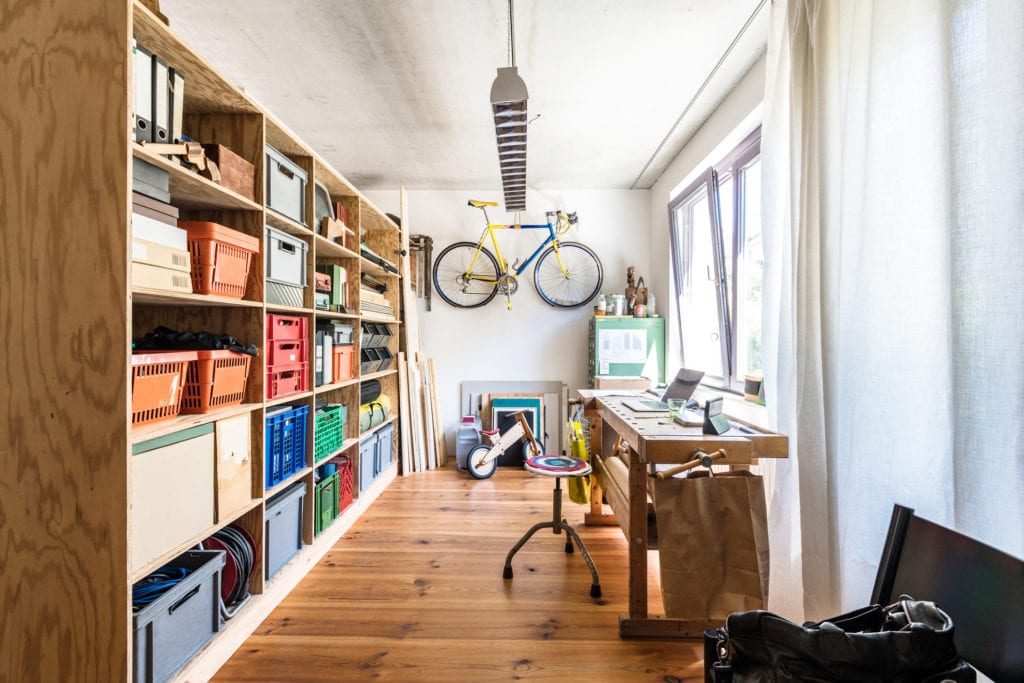 GettyImages
Lighting
Lighting doesn’t just make it easier to do work; it also makes a difference in mood. Allowing in as much natural light as possible can lift moods and even ease anxiety. According to a 2019 Future Workplace study, natural light has a significant impact on workplace wellness. Use blinds or other window coverings, such as sheer curtains, to help control the amount of light coming in. Keep a chair near a window for reading or working in natural light. Place lamps and other fixtures in appropriate places to ensure brightness where it’s needed most. Add table lamps, floor lamps and clip-on lights to illuminate the area where work will be done. Be sure not to have the light pointed directly into anyone’s eyes. For those in a wheelchair, lighting can be placed low. However, if someone has limited vision, avoid low-hanging lights that might get in the way. Halogen bulbs provide maximum lumens, which is a measurement of brightness. Using 60- to 100-watt lighting is usually comfortable, but you may want to try a few lighting options to see which works best for your specific needs. Light options include halogen, fluorescent or incandescent. Install light switches so they’re easy to reach from the freelancer’s range of motion. You can also use voice-activated or motion-sensor switches for hands-free lighting.Furniture
Being able to navigate a workspace easily can be the difference between loving or dreading work. Having the right amount of space and the right furniture is paramount. If you are modifying a space to accommodate a wheelchair, you’ll want a desk at the right height and width so the chair can roll under the desk with no impediments. An adjustable desktop is ideal because it allows the surface to be placed exactly where it’s needed. The desk should have shelves and drawers within easy reach. They can be labeled with bright colors and large letters for those with low vision. Set up the desk and other furniture pieces in a way that allows a wheelchair to turn around without bumping into anything. Leave at least 32 inches between furniture pieces to ensure a wheelchair can pass. Placing bookshelves and tables along the walls will keep the middle of the room open. Don’t settle for just any furniture. Select pieces that fit the freelancer’s personal style. Desks made for people with disabilities are available, but if they don’t match the existing décor, or simply look too functional for one’s taste, then check out desks with parts that can be adjusted. National Business Furniture offers a variety of adjustable height furniture selections in different colors and styles. People with mobility challenges may need to raise furniture to be able to sit comfortably and stand up safely. Raising the height can be done by placing furniture coasters under desk, chair or sofa legs, or by extending the legs with small blocks of wood. To lower furniture, like desks, to make them more accessible for someone in a wheelchair, the legs can be shortened or replaced with shorter pieces.People with low vision or who are blind should consider eliminating coffee tables, end tables and other low pieces that could be trip hazards. Keep furniture in the same place at all times to avoid accidents. GettyImages
Storage
Having an organized work area is essential for sustained productivity and safety. When supplies, files and work tools are within easy reach and are readily identifiable, you can continue working without having to take time to search for an item. For those with low vision or who are blind, a few tips can save time. For instance, use embossed letter stickers on file folders to designate what they contain. Or, place an embossed letter on a switch plate — “F” for the overhead fan and “L” for the light, for example. Color coding with bold colors is great for organizing projects by categories. Color code files and file labels, too. You could also write notes in colors and keep colorful markers, pens or stickers on your desk for this purpose. To compensate for low vision, use embossed letter stickers to indicate the colors for each item. Be sure everything is kept in the same place at all times. To make it easy to access materials, put them in cabinets or storage bins that don’t have doors. If you do use doors, install large handles for easier gripping. Set a rule that any drawer or cabinet door must be closed immediately after use to avoid creating obstacles for those with low vision, and to avoid obstructing the path of a wheelchair. Also, keep the desk area tidy and safe by using a cord organizer to corral all cables and electrical cords, keeping them off the floor, out of the way and out of sight. Once the work area has been organized, share the system with family, friends or caregivers. Ask them to be sure everything is in its designated place, including supplies and pieces of furniture.Technical considerations
In addition to design modifications, there are technical factors to consider as well when designing an accessible workspace. For example, depending on the specific needs of each individual, there are dozens of assistive and adaptive technologies available that help people with disabilities to accomplish specific tasks. Check out this list of tools and tips to get started:- The number one tool a freelancer needs is a strong and reliable internet connection. Nothing is worse than working on a project that’s due the next morning and the internet goes out, or you’re conducting a video conference and the lack of speed causes the meeting to buffer. Check out internet reviews to choose the best provider.
- Electronics designed for people with low vision include telephones and calculators with large print dials and keypads. Using a large screen with high definition will also help increase visibility. Adding a fully adjustable computer mount allows the screen to be placed at the best height and angle.
- Software can offer further assistance for people with low vision. Apple has a built-in feature on every Mac called VoiceOver that includes verbal descriptions of what’s happening on the screen. It also reads all content aloud and magnifies the screen.
- Microsoft has created tools and features for Windows 10 and Microsoft Office to make computers more accessible for people who have disabilities around vision, hearing, speech, mobility and learning. For example, Microsoft’s Narrator feature reads the text on the computer screen, including calendar events and notifications. Microsoft’s Magnifier tool allows the entire screen or portions of the screen to be enlarged. Check out Microsoft’s online guide to learn more about all of its accessibility tools and features. Visit the Microsoft accessibility playlist on YouTube for more features and troubleshooting guidance.
- NV Access, founded and managed by two business partners who are blind, provides free software in many languages for people with visual limitations. They believe everyone “deserves the right to freely and easily access a computer.”
- Other companies also offer speech-to-text or voice-to-text apps that assist with “writing” emails, reports, notes, etc. Dragon Home and IBM Speech to Text are a couple of examples.